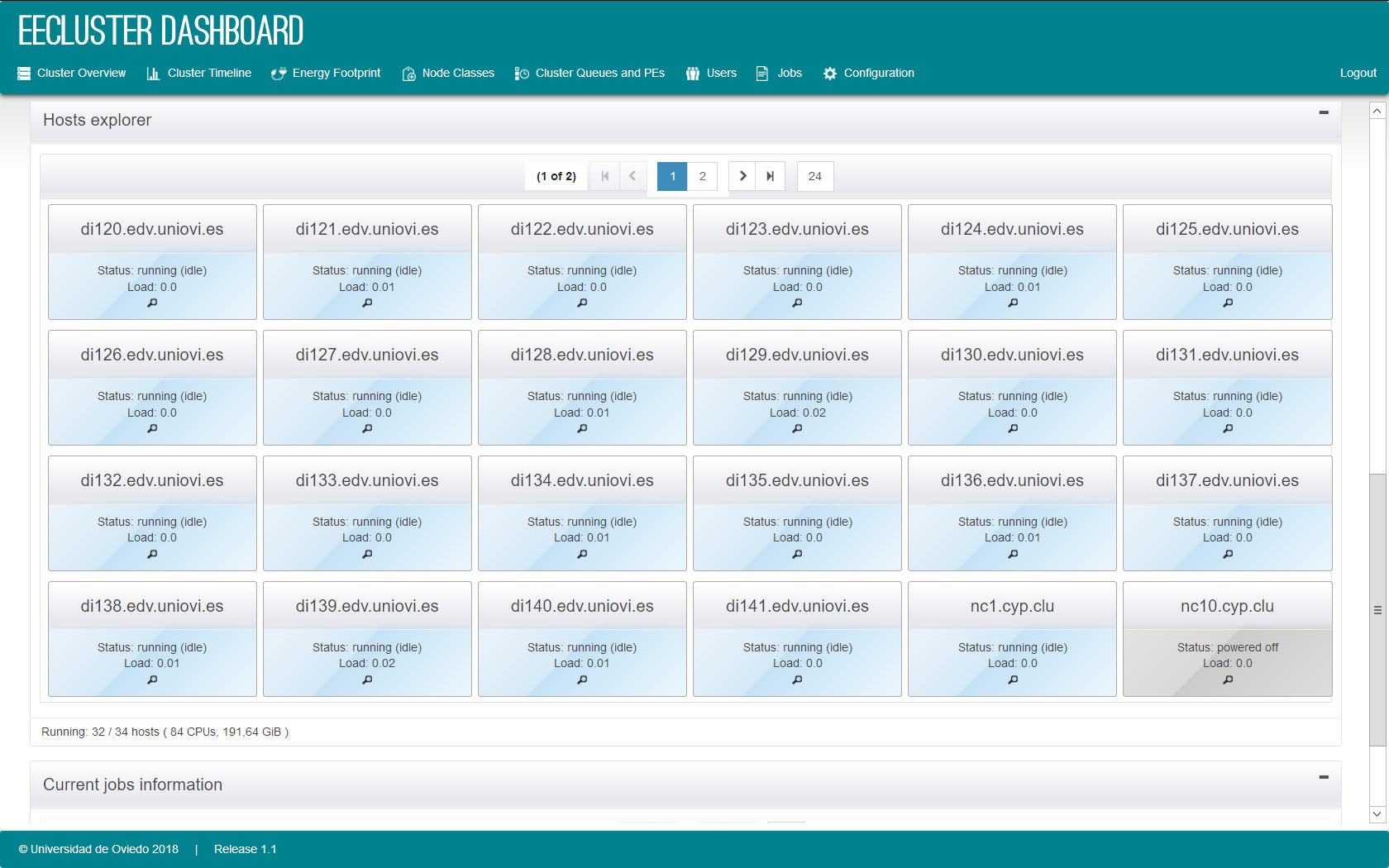
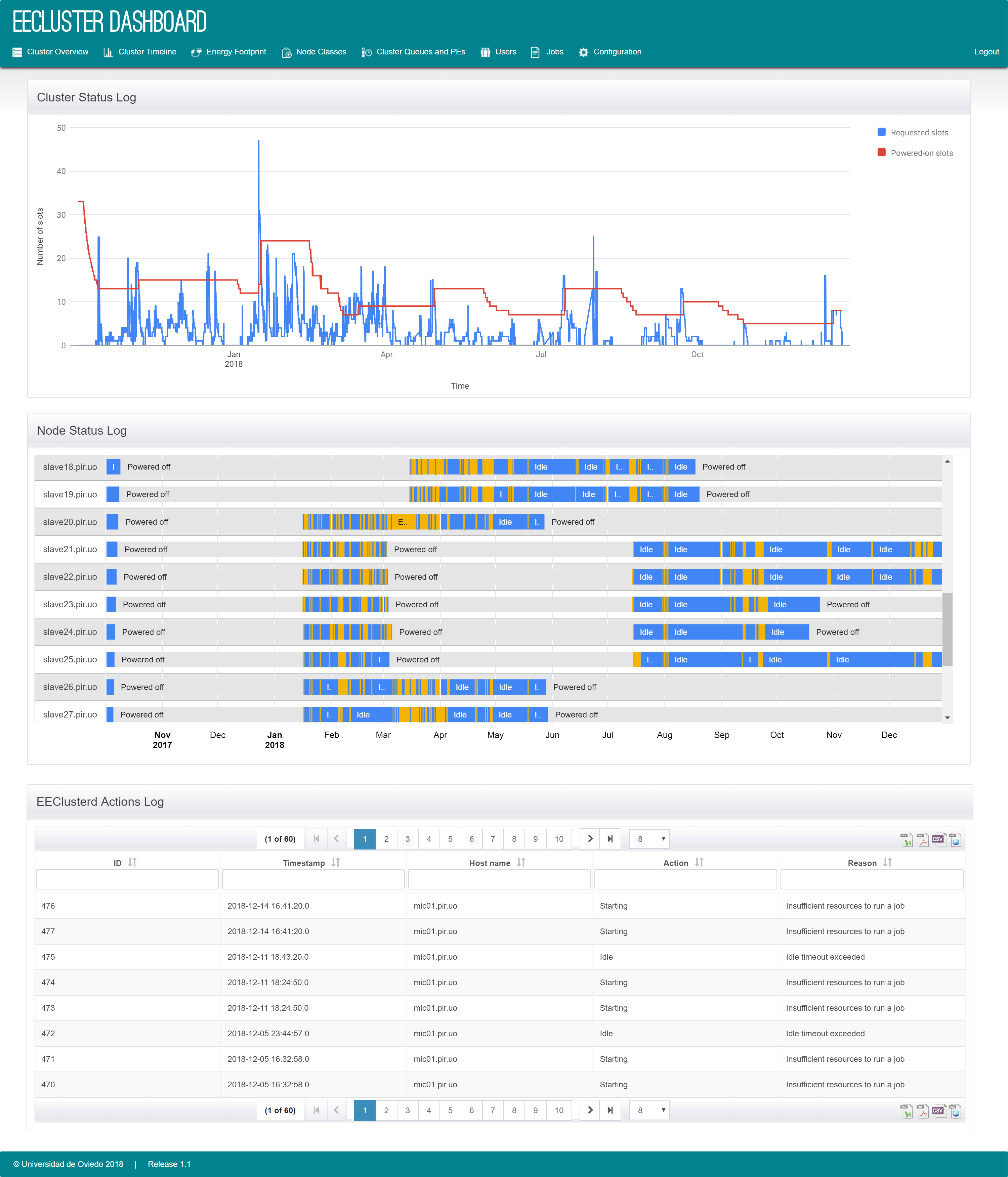
Figure 1 — Dashboard
Administration dashboard with cluster and node status, plus entry points to monitoring and management functions.

Energy-efficient resource management for HPC clusters
High-performance computing clusters are essential for parallel and distributed workloads, but they are also energy intensive. As electricity prices rise, energy consumption becomes a major contributor to the operational cost of running a cluster.
EECluster addresses this by enabling energy-efficient allocation of cluster resources. It relies on a Hybrid Genetic Fuzzy System (HGFS) to build and tune decision rules using workload scenarios and to reflect administrator preferences.
Newer versions include a broader environmental model that balances service quality and power consumption with indirect costs such as hardware failures and replacements, expressed in monetary terms and carbon emissions.
Administration dashboard with cluster and node status, plus entry points to monitoring and management functions.
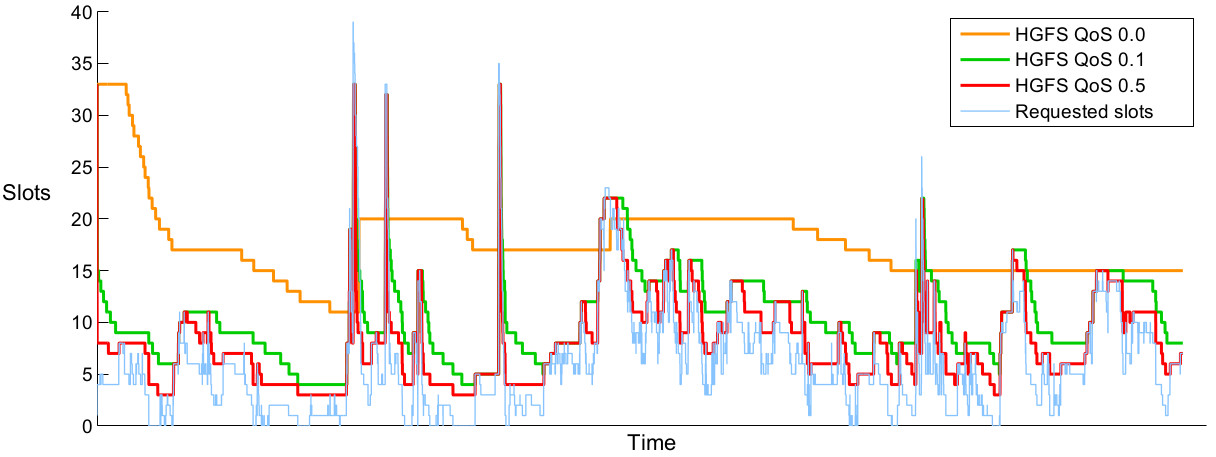
Trace showing how administrator preferences can range from no QoS impact to controlled waiting-time increases that deliver large energy savings.
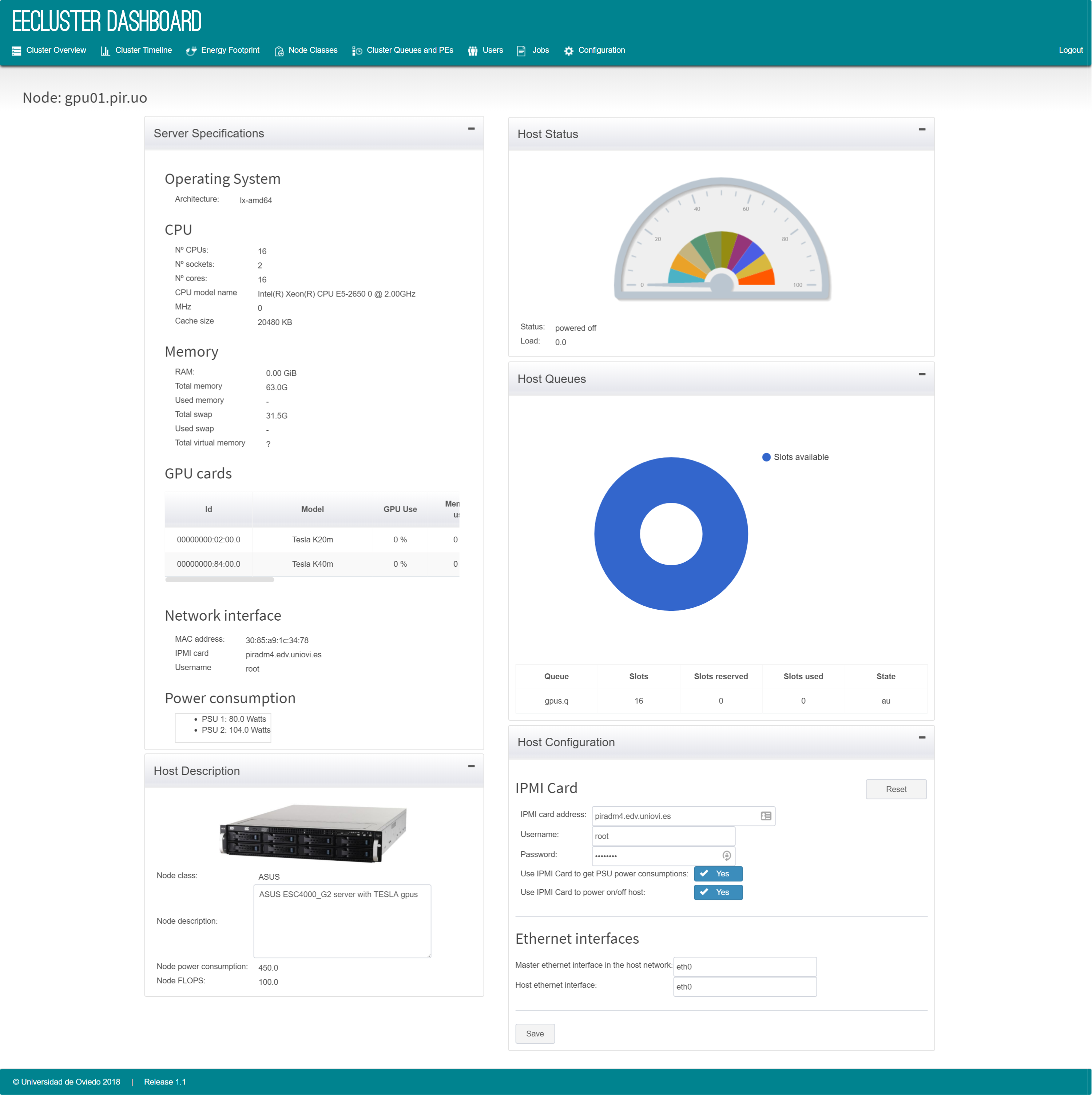
Detailed node view with OS, CPUs, memory, GPUs/Intel MIC, PSU power and load, plus IPMI configuration controls.
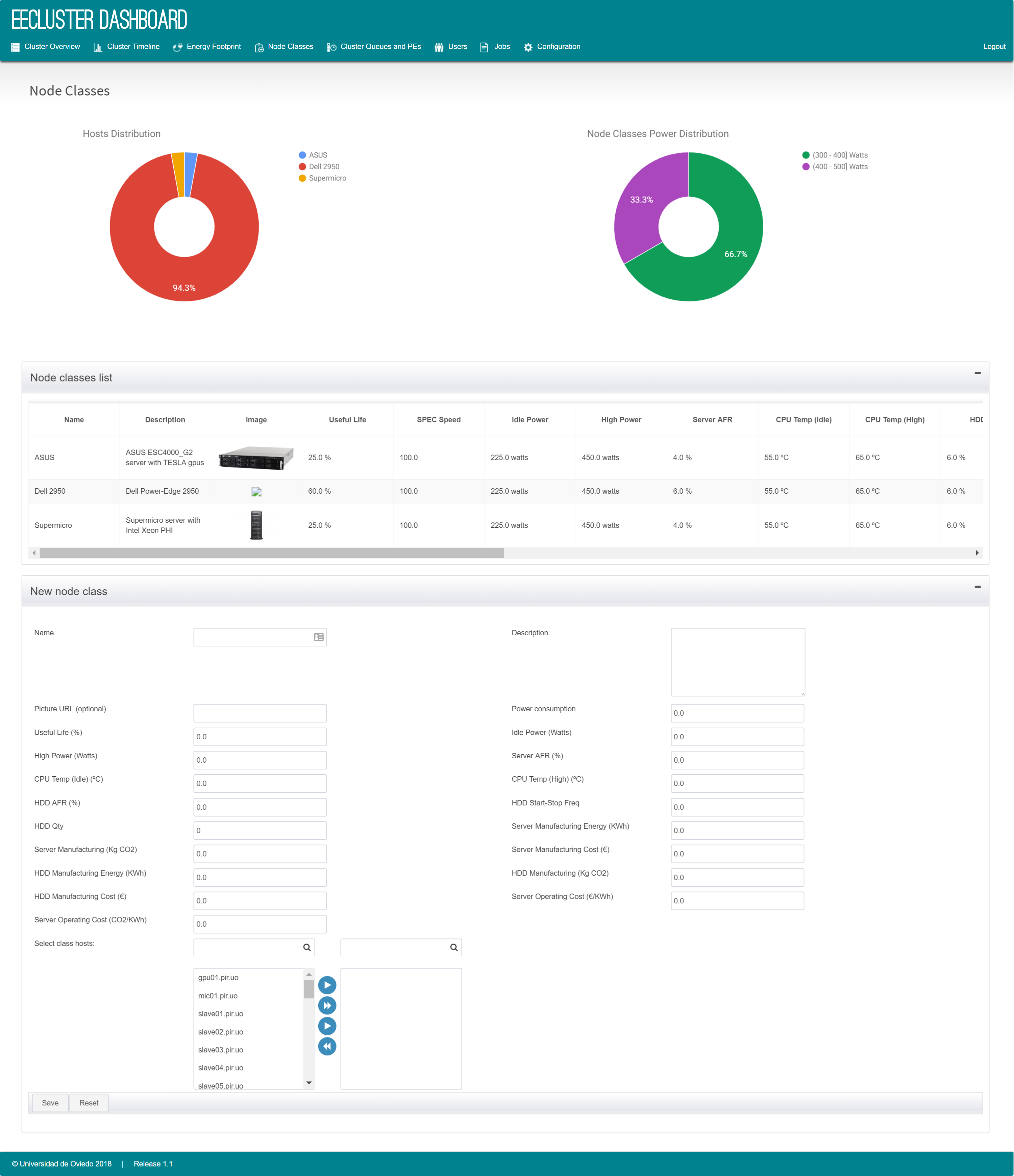
Configure node classes (name, description, picture, FLOPS, power consumption) and assign nodes; power values are used to compute efficiency when IPMI data is not available.
Users and jobs views provide tables and charts that summarize cluster usage and job activity.
Statistics include HGFS decision records and charts that show how the workload evolves over time.
Release tarballs are hosted locally for this site.
License: Modified BSD.
EECluster is distributed as a tarball. Unpack the release:
tar zxf eecluster-X.X.X.tgzInstall a MySQL server using your system package manager (for example, yum install mysql-community-server).
Install a Java EE application server (legacy documentation recommends GlassFish).
Run the configure script:
cd eecluster-X.X.X
chmod +x configure.sh
./configure
The script checks requirements (Java, RMS, MySQL, utilities), deploys the EEClusterd service, creates an init.d script, and prompts for configuration values.
HGFS preferences are tuned against a workload scenario described in a properties file (for example
tuning.properties, which can specify the queue, training and validation sets, and the MOEA algorithm).
Run the tuning script:
HGFS_tuning.sh tuning.propertiesThe output is a Pareto-efficient frontier (CSV) with non-dominated configurations and HGFS parameters. Administrators select a solution and enter the values in the dashboard to create a new configuration.
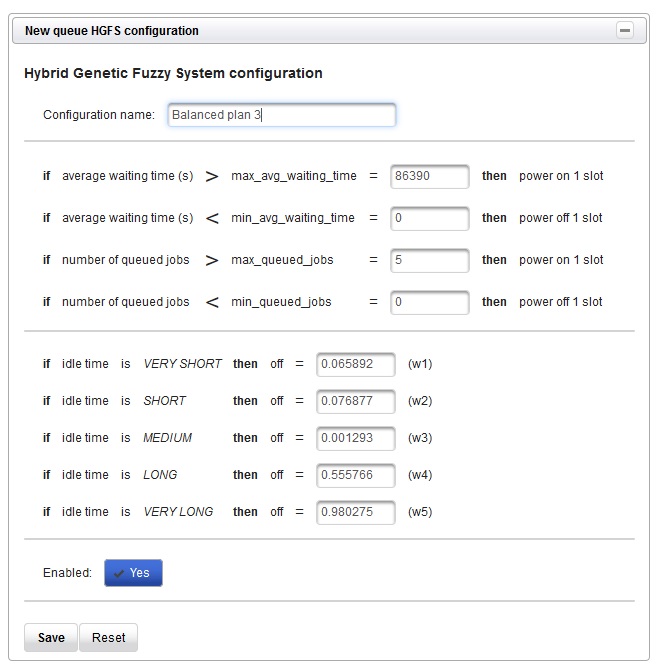
Form used to enter and enable the selected tuning parameters for a queue.
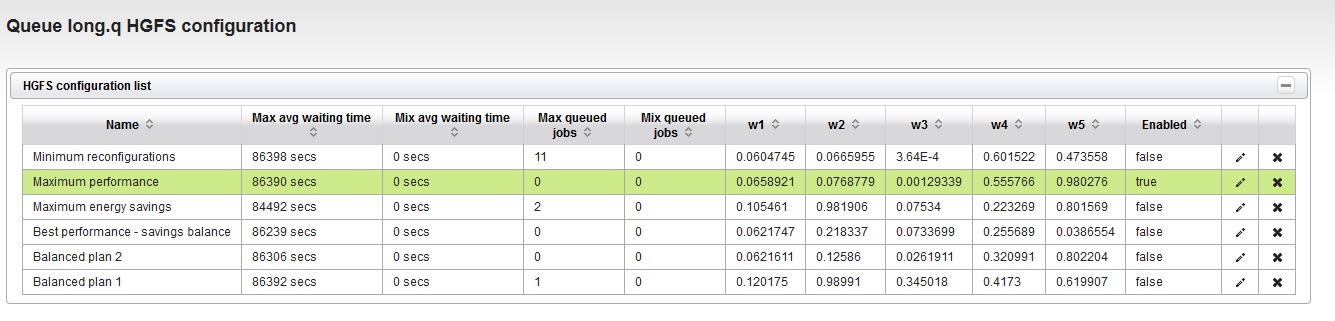
List of available HGFS plans with waiting-time thresholds and weights.